Schema Mode
Schema Mode is the primary mode for authoring and managing JSON-LD schemas. It provides six panels, all sharing a reactive selection state so that clicking a node in any panel navigates every other open panel to the same location.
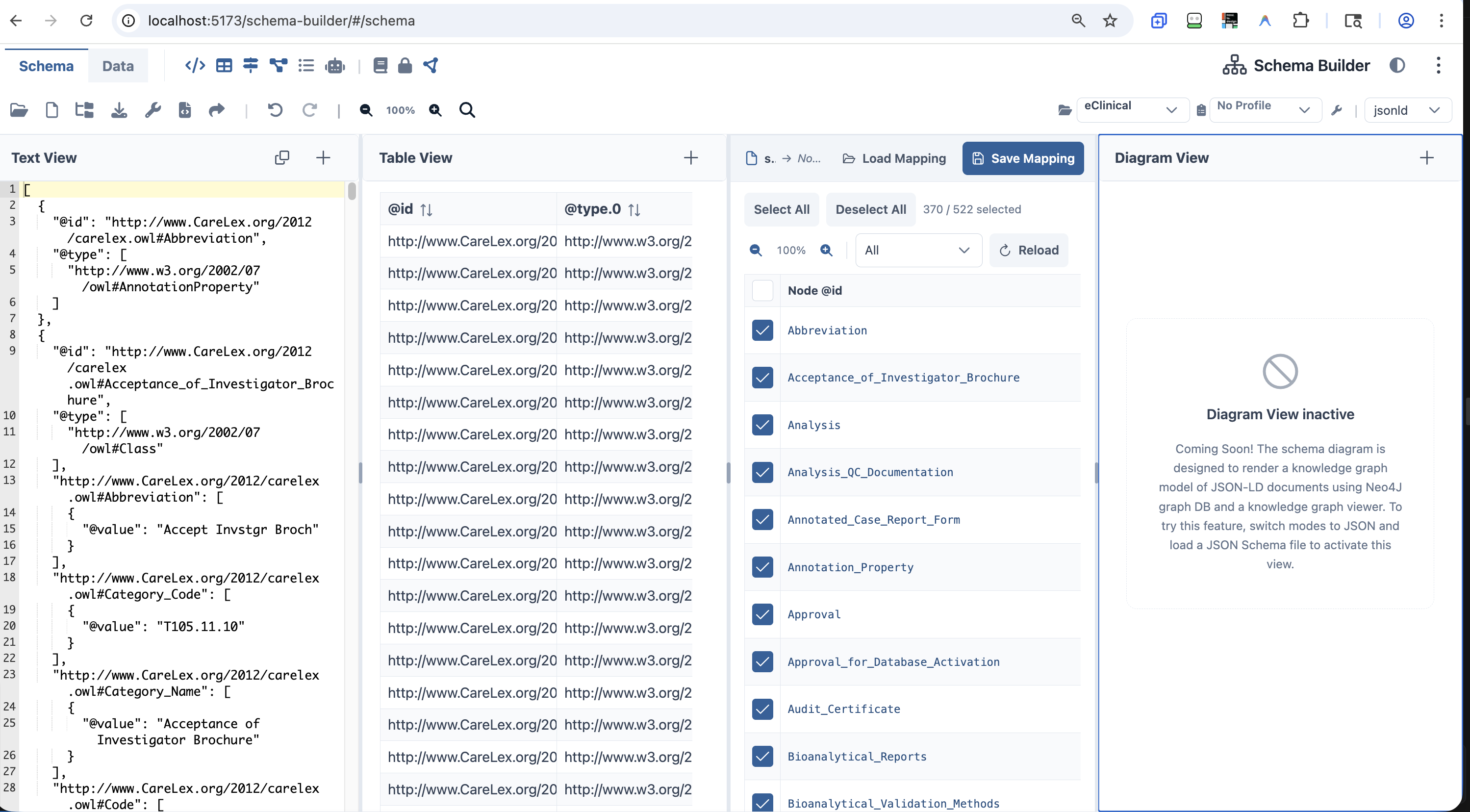 SchemaBuilder Schema Mode
Text View — Code Editor
The raw code editor panel — powered by Ace Editor — provides direct JSON/YAML/XML editing with syntax highlighting and inline validation annotations.
Source: CodeEditorPanel.vue · AceEditor.vue
- Bidirectionally synced with all other panels — any change anywhere reflects here immediately
- Inline error annotations from AJV (JSON Schema Draft 2020-12) and the custom JSON-LD 1.1 multi-error linter
- Format selector in the bottom toolbar switches between JSON, YAML, and XML representations
- Full undo/redo stack with edit history
GUI View — Visual Editor
A schema-driven property tree editor that renders the active JSON-LD document as a navigable, form-like interface — no JSON syntax knowledge required.
Source: GuiEditorPanel.vue
- Renders a
SchemaInfoPanelshowing which schema governs the current view - Warns if the schema contains unresolved external
$refreferences - Per-property panels render type-appropriate input controls for strings, numbers, booleans, arrays, and objects
- Click any node in the property tree to navigate and select it — selection syncs across all open panels
Diagram View — Schema Graph
An interactive node-graph powered by Vue Flow that visualizes JSON Schema types, properties, and $ref relationships as a navigable diagram.
Source: SchemaDiagramPanel.vue
- Zoom, pan, and click nodes to navigate — clicking a node selects it in all other panels
- In-diagram editing when edit mode is enabled
- Detects JSON-LD documents (vs. JSON Schema) by checking for
@context,@graph,@id/@typeat root and shows a contextual hint overlay
Mapper View — Translation Workbench
The Mapper View is Schema Builder's schema translation engine — the primary surface for generating SQL DDL, OWL, and other output formats from a JSON-LD schema.
Source: MapperPanel.vue · mapperTypes.ts
How It Works
- Loads all JSON-LD nodes from the active schema as
MappingRow[]— each row has:nodeId,nodeType(e.g.owl:Class,owl:DatatypeProperty),nodeLabel,mapTo(editable target name),targetType,notes,selected - User selects rows and sets their target names and types
- User picks an output format from the plugin-driven dropdown
- Output is previewed inline and exported
Supported Output Formats
Output formats are provided by the Plugin System:
| Format | Plugin | Status |
|---|---|---|
| PostgreSQL DDL | com.sureclinical.sql-postgresql | ✅ Built-in |
| DuckDB DDL | com.sureclinical.sql-duckdb | ✅ Built-in |
| SQL INSERT seed data | com.sureclinical.seed-data-generator | ✅ Built-in |
| RDF Turtle, XLSX, JSON, OWL | Custom plugins | 🔲 Extensible |
Mapper state (row selections, target names, notes) saves and loads as .mapper.json sidecar files. Table zoom (0.5×–1.5×) and row filters (all / selected / unselected) aid large-schema navigation.
AI View — Schema AI Assistant
The AI View provides a natural-language interface for creating, modifying, querying, and exporting schemas using any OpenAI-compatible LLM endpoint.
Source: AiPromptsPanel.vue · AiPromptsSchema.vue · aiEndpoint.ts
| AI Action | Description |
|---|---|
| Create schema | Describe a schema in natural language → Schema Builder generates a JSON-LD schema |
| Modify schema | "Add a patient_id field as a UUID primary key" → AI applies the change |
| Ask a question | "What does this owl:Class represent?" → AI answers in context |
| Export / convert | "Convert this to a FHIR-compatible JSON Schema" → AI reformats |
Configuration: Default endpoint https://api.openai.com/v1/chat/completions, default model gpt-4o-mini. Any OpenAI-compatible endpoint (Azure OpenAI, SureLLM, local Ollama) works. Set via the Settings schema (aiIntegration key).
Security: API key stored in a reactive in-memory ref only, optionally persisted to sessionStorage (cleared when tab closes). Never written to localStorage. See apiKey.ts.
Documentation View
Converts the active JSON Schema to structured Markdown documentation, rendered as HTML.
Source: DocumentationPanel.vue
- Auto-generates human-readable docs from any JSON Schema — entity names, descriptions, properties, types, constraints
- Navigation anchors sync with schema editor selection
- "Download Markdown" button exports the generated documentation